IPTV Firestick Guide: Best Apps, Setup & Safety in 2026
Complete guide to IPTV on Amazon Firestick in 2026. Best apps (TiviMate vs Smarters), step-by-step setup, how to choose a provider, and how to fix buffering.
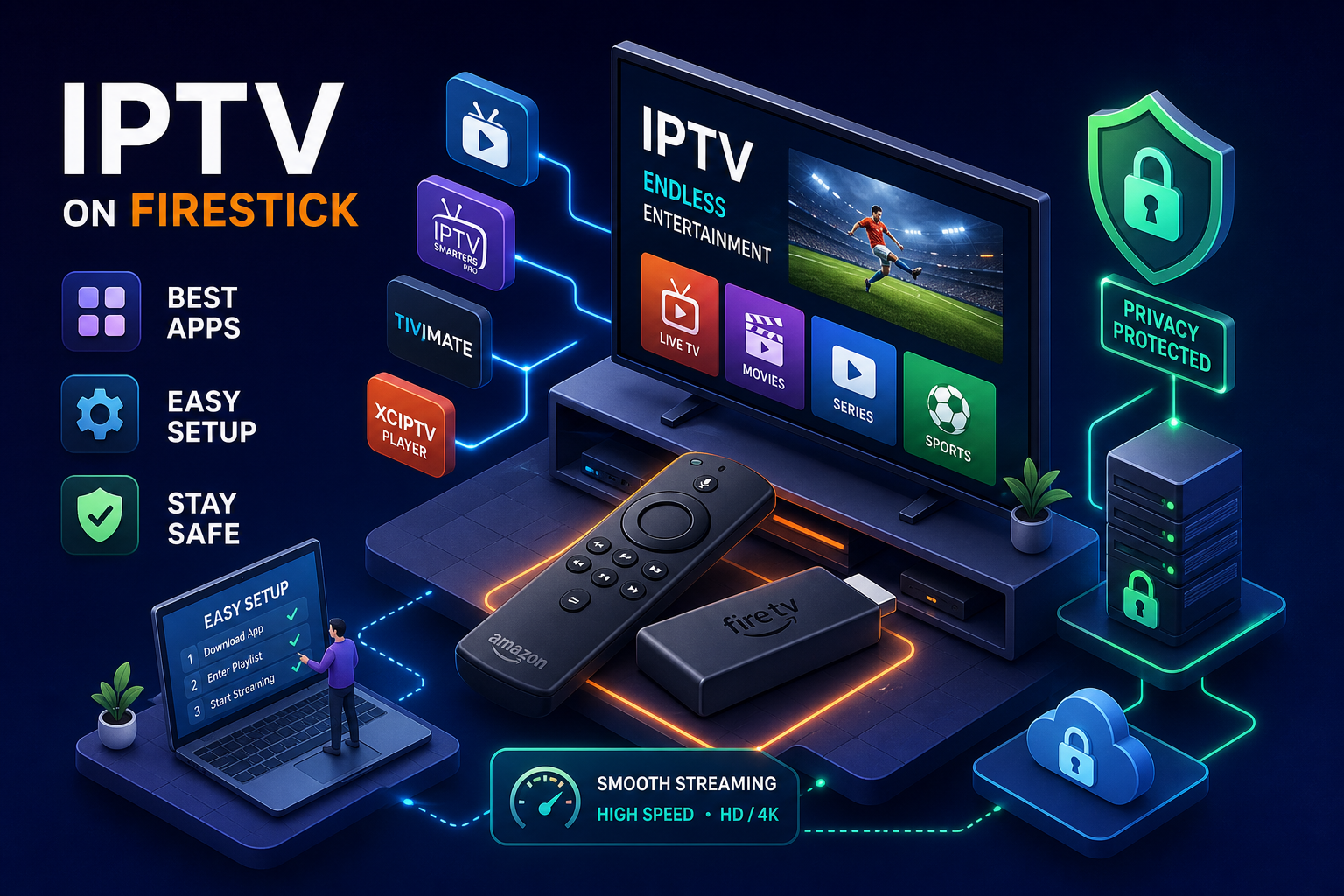
Essential IPTV Firestick Guides: TiviMate Premium & Buffer Fixes
The best IPTV Firestick apps in 2026
Before you think about a subscription, you need the right player app. The app is your interface for everything: channel browsing, the electronic programme guide, playback quality, and recording. Getting this wrong first wastes time and creates confusion that makes people give up before they've actually started.
TiviMate: the power user's first choice
TiviMate is the most capable IPTV player available on Firestick, and it's not particularly close. You get multi-playlist support, a fully customisable EPG guide, recording capability, and auto frame rate switching that adjusts playback to match each channel's native format. It's built for people who want full control over their channel lists, schedules, and recording workflows.
The catch is that TiviMate isn't in the Amazon App Store, so you'll need to sideload it using the Downloader method covered in the install section below. If you're comfortable with that process, TiviMate is the long-term home for your IPTV Firestick setup.
IPTV Smarters Pro: best for beginners
Most IPTV providers, including IPTV UK Elite, recommend IPTV Smarters Pro as the default starting point, and the reason is straightforward: it works immediately. You log in with Xtream Codes credentials, your channel list populates, and you're watching live TV within minutes. The interface is clean, channel loading is fast, and the M3U URL fallback means it works with virtually every provider on the market.
XCIPTV and Perfect Player: worth knowing about
XCIPTV is the strongest free player option, with a modern interface, built-in search, and a favourites manager. There's no subscription cost for the player itself, making it a sensible starting point if you want to test the waters without any upfront spend.
Perfect Player takes the opposite approach: minimal UI, maximum performance. On older Fire TV hardware where processing power is limited, Perfect Player handles large M3U playlists without the overhead that heavier apps carry.
How to install IPTV on Firestick (step by step)
The install process has two stages: enabling sideloading on the Firestick, then downloading and configuring the app. Total time is under ten minutes.
Enabling sideloading on your Fire TV Stick
Navigate to Settings > My Fire TV > Developer Options. If Developer Options isn't visible, go to About, highlight your device name, and press Select seven times rapidly until you see a confirmation message. Then toggle "Apps from Unknown Sources" and "ADB Debugging" to on. The whole process takes two minutes and is fully reversible.
Installing IPTV Smarters Pro via Downloader
The Downloader app is the standard method for sideloading IPTV on Firestick. Here's the full walkthrough:
- Search for and install the Downloader app from the Amazon App Store.
- Open Downloader, enter code 224877 in the URL field, and tap Go. Verify this code is current via your provider's setup guide, as shortcodes are periodically updated.
- The IPTV Smarters Pro APK downloads automatically. Tap Install when prompted.
- Open IPTV Smarters Pro and select "Login with Xtream Codes API."
- Enter the credentials your IPTV provider sends you. IPTV UK Elite delivers these via WhatsApp or email within minutes of signup.
- Tap "Add User." Your full channel list loads immediately.
Configuring EPG and channel order
The Electronic Programme Guide (EPG) turns a flat channel list into a proper TV guide with schedules, show descriptions, and series information. Your IPTV provider supplies an XMLTV EPG URL, which you paste into the EPG settings section of your player app. In IPTV Smarters, go to Settings > EPG > Add Source, paste the URL, save, and refresh.
IPTV UK Elite states that EPG data is included automatically with every subscription, removing the need for manual URL configuration.
How to choose an IPTV provider for Firestick
The app is the vehicle. The provider is the engine. Four metrics reliably separate a trustworthy service from one that folds in three months.
What separates a reliable provider from a risky one
Channel library size is worth checking first. Server uptime matters next — look for providers advertising high uptime alongside CDN redundancy. Trial policy is equally telling: a genuine 24-hour free trial gives you enough time to test live sports, peak-hour performance, and 4K streams on your actual connection. Finally, check refund terms — a provider with no money-back guarantee has no incentive to fix your problems after you've paid.
Why IPTV UK Elite is worth considering
IPTV UK Elite scores well across all four of those criteria. The channel library is advertised at 45,000+ live channels, covering all Sky Sports, TNT Sports, BBC, ITV, Channel 4, and 50+ international country packages updated daily. The provider claims 99.9% server uptime supported by UK-optimised CDN infrastructure.
The free 24-hour trial requires no credit card, and the 30-day money-back guarantee is no-questions-asked. Support is stated to run 24/7 through WhatsApp. Pricing starts from £12/month, which positions it as a potential replacement for Sky Sports, TNT Sports, and a separate VOD subscription in a single package.
Legal and security risks every Firestick user should know
What the law actually says about third-party IPTV
In the UK, enforcement bodies like FACT and ACE focus primarily on operators running unlicensed services, not end-users. The practical risk to individual end-users remains low, but it's not zero. The cleaner path in both jurisdictions is to use a service that operates within proper content licensing frameworks.
Security best practices: VPNs, updates, and source vetting
A VPN is worth running alongside any IPTV setup on Firestick. It encrypts your connection so your ISP can't identify and throttle streaming activity, masks your IP address to reduce exposure, and makes geo-restricted content accessible. ExpressVPN, NordVPN, and Surfshark all work with Firestick and are widely used alongside IPTV services.
- Keep your Firestick firmware updated.
- Vet your provider before paying. Clear refund policies, active support channels, and transparent channel documentation are signs of a service that has nothing to hide.
- Avoid any service that offers no trial, no refund, and no visible support contact.
Fixing buffering and playback problems on Firestick
Buffering is frustrating but diagnosable. The cause is usually one of three things: your internet speed falling below the minimum threshold, your ISP throttling streaming traffic, or your provider's servers struggling under peak load.
Why IPTV buffers on Firestick and what to check first
Run a speed test using the Analiti app on your Firestick before changing anything else. Live HD streaming requires at least 12 to 15 Mbps; 4K content needs 25 Mbps or above. If your speed comfortably clears these thresholds and buffering only occurs during evenings or weekends, ISP throttling is the more likely culprit.
If speed is fine and the timing is random, the problem is upstream. Provider servers that can't handle peak traffic produce intermittent freezing regardless of your local connection. IPTV UK Elite claims to use load-balanced, UK-optimised CDN infrastructure to address this — verify it holds up during major live events like Champions League finals or UFC pay-per-views by testing during your trial.
Configuration fixes that actually work
Clear your app cache first. Go to Settings > Applications > Manage Installed Applications, select your IPTV app, and tap Clear Cache. This takes thirty seconds and resolves the majority of performance issues that aren't speed-related.
Peak-hour buffering specifically responds well to enabling a VPN to bypass ISP throttling. If the problem is intermittent and seems location-dependent, move your Firestick closer to the router or switch from the 2.4GHz band to 5GHz. A Firestick restart clears temporary glitches and should be your second step after clearing cache.
Your IPTV Firestick setup starts here
The hardware is already in your hand. The remaining decision is which app and provider will make it worth using. Install IPTV Smarters Pro for an immediate setup or TiviMate if you want full control. Choose a provider that offers a genuine trial and a real refund policy. Get a VPN running before you commit to anything.
IPTV UK Elite is the starting point we recommend, with the caveat that you should use the free 24-hour trial to verify performance on your specific connection before purchasing. No credit card is required for the trial. The 30-day money-back guarantee means there's no financial risk if it doesn't suit you.
For related device setups see our best IPTV for Firestick UK guide.
Ready to Try Premium IPTV UK?
Experience IPTV UK Elite with a free 24-hour trial. 45,000+ channels, 100,000+ VOD, and 4K quality.
Related Guides
More IPTV UK Buying & Info Topics
Keep exploring high-volume IPTV UK search topics to compare providers, troubleshoot faster, and choose the right plan.