UK TV in Australia: The Best IPTV Guide for Expats Down Under
Living in Perth, Sydney, or Melbourne? Miss the UK time zone for live TV? Here is how to watch UK channels in Australia without lag.

Prerequisites for UK IPTV in Australia: 25 Mbps NBN & Devices
The Aussie Time Zone Struggle
Being a UK expat in Australia is great until you want to watch live TV. When it's 8 PM in London, it's 7 AM in Sydney. If you want to watch the Premier League or the late-night news, you need a service that handles the distance.
Why IPTV UK Elite Works Down Under
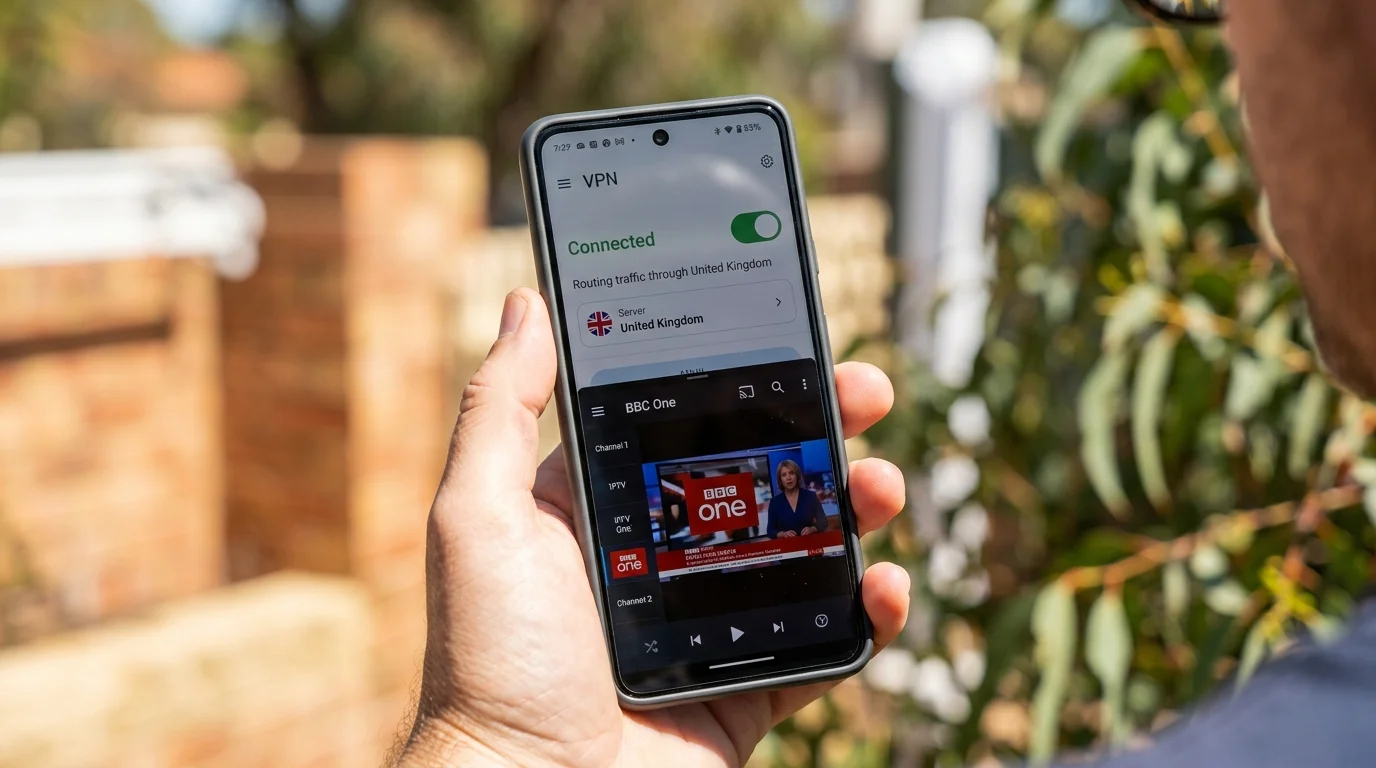
- CDN Optimization: We use Content Delivery Networks. This means when you click a channel in Australia, you're grabbing it from a server closer to you, not one in London. This stops the "infinite buffering" loop.
- Full VOD: If the live TV times don't suit you, our VOD library has every major UK show ready to watch on your time.
- Catch-Up: Use our 7-day catch-up to watch last night's UK dramas while you have your morning coffee in the sun.
What You Need
A decent NBN connection (at least 25 Mbps) and a Firestick or NVIDIA Shield.
Get a trial and test it out. It's like having a little piece of the UK in your Aussie living room.
Best Times to Stream UK Content from Australia
The time difference between the UK and Australia varies by state and season:
- 8:00am GMT = 6:00pm AEST (Sydney/Melbourne) = 4:00pm AWST (Perth)
- 12:00pm GMT = 10:00pm AEST = 8:00pm AWST
- 9:00pm GMT (Premier League kick-off) = 7:00am AEST = 5:00am AWST
This means UK prime-time television (7–10pm GMT) airs at 5–8am in Sydney the following morning. For expats, this has practical implications:
- BBC programmes and soaps: Best watched via catch-up on weekend mornings Australian time
- Premier League evening matches: 7am–9am in Sydney — perfect for a weekend breakfast match
- Late US boxing/UFC cards: UK midnight broadcasts hit 10am–12pm in Sydney — ideal viewing times
IPTV UK Elite's 7-day catch-up feature makes the time difference largely irrelevant. Watch UK content on your own Australian schedule.
Internet Speed Requirements for Australian Viewers
NBN broadband tiers and their IPTV suitability:
- NBN 25 (25 Mbps): SD and HD 720p streaming only
- NBN 50 (50 Mbps): Full HD streaming with comfortable margin — recommended minimum
- NBN 100 (100 Mbps): Full HD plus 4K capable
- NBN 250 (250 Mbps): Multiple 4K streams simultaneously
For reliable UK IPTV from Australia, NBN 50 is the minimum recommended tier. Latency from Australia to UK servers is typically 250–310ms. This does not affect streaming quality (buffering handles the latency) but means live streams feel slightly delayed compared to watching in the UK.
VPN vs No VPN from Australia
For IPTV streams delivered via M3U or Xtream Codes from IPTV UK Elite, a VPN is generally not required — the streams are delivered directly from our servers to your device regardless of location.
When you might need a VPN: Accessing BBC iPlayer or ITV Hub directly (these check geographic location and block non-UK IPs); accessing Sky Go or Sky Stream apps that require a UK IP.
When you definitely do not need a VPN: Watching IPTV UK Elite channels via TiviMate or IPTV Smarters using your M3U or Xtream Codes credentials.
If you do use a VPN, recommended options tested from Australia: ExpressVPN (fastest to UK), NordVPN (good speeds, wide UK server selection), Surfshark (best value for multi-device households).
Which Australian ISPs Work Best for UK IPTV
- Aussie Broadband: Consistently rated best for international routing. Their peering agreements with European networks mean UK latency is consistently 250–270ms.
- Superloop: Strong international performance. Particularly good for streaming to overseas servers.
- Telstra: Largest ISP, good infrastructure. Reliable UK streaming performance.
- TPG and iiNet: Budget-friendly, acceptable international performance on NBN 50+.
The recommended combination for UK expats wanting reliable HD/4K IPTV is Aussie Broadband on NBN 100.
Device Setup Guide for Australian Expats
Setting up IPTV on a new device in Australia is identical to UK setup:
Amazon Firestick: UK-purchased Firesticks work in Australia with any 240V power adapter. Sideloading TiviMate via Downloader remains the recommended installation method regardless of region.
Android devices: Download TiviMate or IPTV Smarters from the Google Play Store. No region restriction applies.
Smart TVs in Australia: Australian Samsung, LG, and Sony TVs run the same OS as UK models. IPTV apps work identically.
Credentials: Your IPTV UK Elite username, password, and server URL work from any country. Simply enter them in your chosen app exactly as you would in the UK.
Contact IPTV UK Elite on WhatsApp to discuss Australian-specific setup. We support expats globally and have customers streaming UK TV from every Australian state.
Ready to Try Premium IPTV UK?
Experience IPTV UK Elite with a free 24-hour trial. 45,000+ channels, 100,000+ VOD, and 4K quality.
Related Guides
IPTV for Expats: UK TV Abroad
Watch live UK TV in Spain, France, Dubai, and anywhere — no satellite dish needed.
GuidesWatch UK TV in Ireland Guide
Stream BBC, ITV, Channel 4, and Sky Sports from the Republic of Ireland via IPTV.
TechnicalBest VPN for IPTV UK 2026
NordVPN, Surfshark, and ExpressVPN tested for speed, ISP throttle bypass, and privacy.
More IPTV UK Buying & Info Topics
Keep exploring high-volume IPTV UK search topics to compare providers, troubleshoot faster, and choose the right plan.